Explore a personal style
Preview a different mood before planning a real outfit. Compare casual, formal, seasonal, or statement looks while remembering that the generated image is a concept rather than a fit prediction.
The page could not load. Please refresh to try again.
This is taking longer than expected. You can keep waiting or refresh the page.
AI OUTFIT CHANGER
Change clothes in a photo without manually cutting out garments or rebuilding the scene. Upload one clear person photo, choose a preset outfit in MagicCanvas, and generate an AI wardrobe preview you can inspect and download.
Change clothes in a photo →Opens the preset outfit tool. Review the current credit cost before generating.
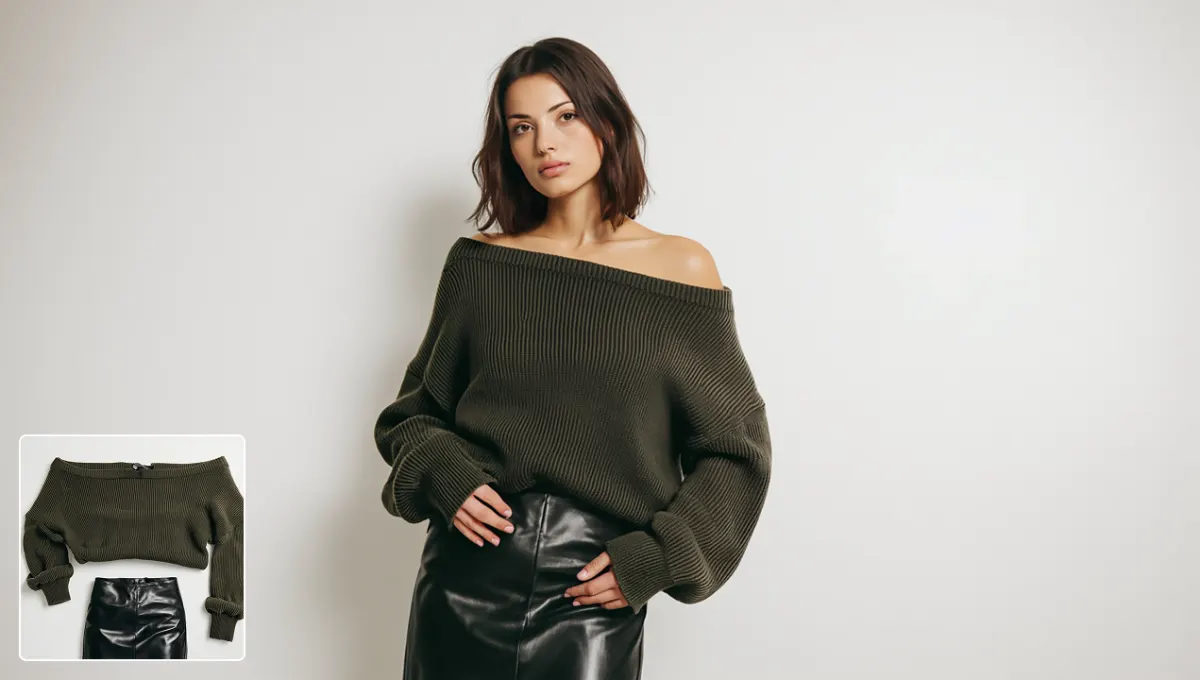 Knit look
ONE PERSON, MORE STYLE DIRECTIONS
A clothes changer should make the transformation easy to judge. These MagicCanvas examples pair the chosen outfit reference with the generated person so you can review silhouette, fabric edges, pose, and scene consistency.
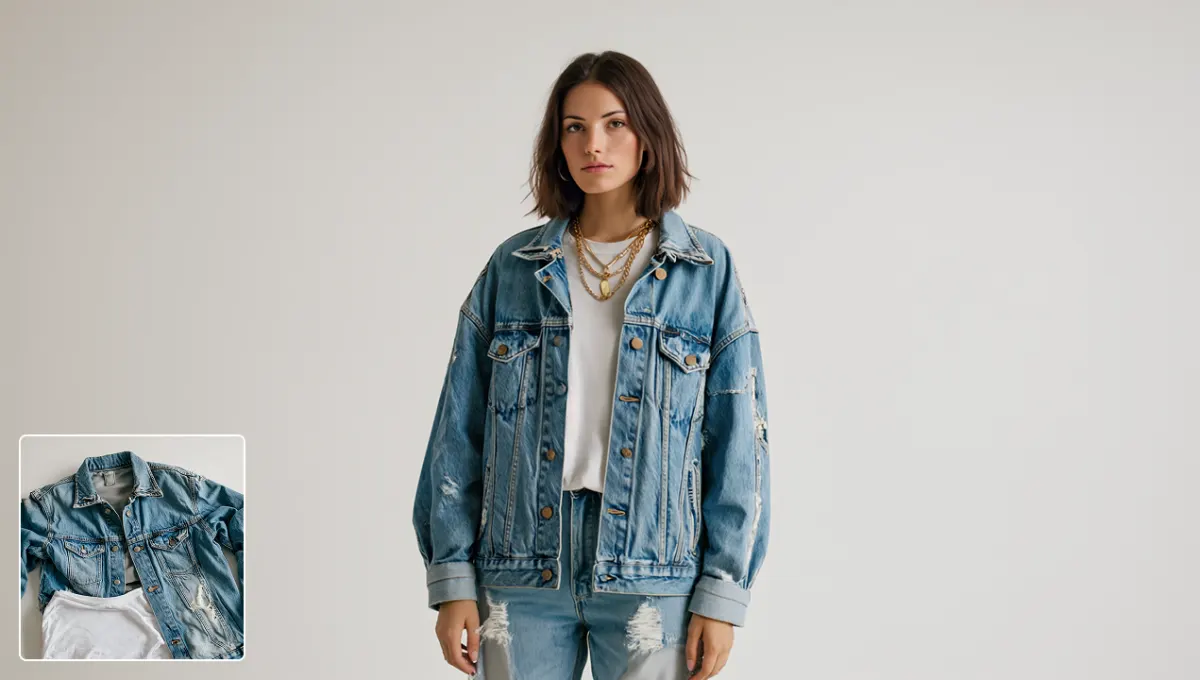 Denim look
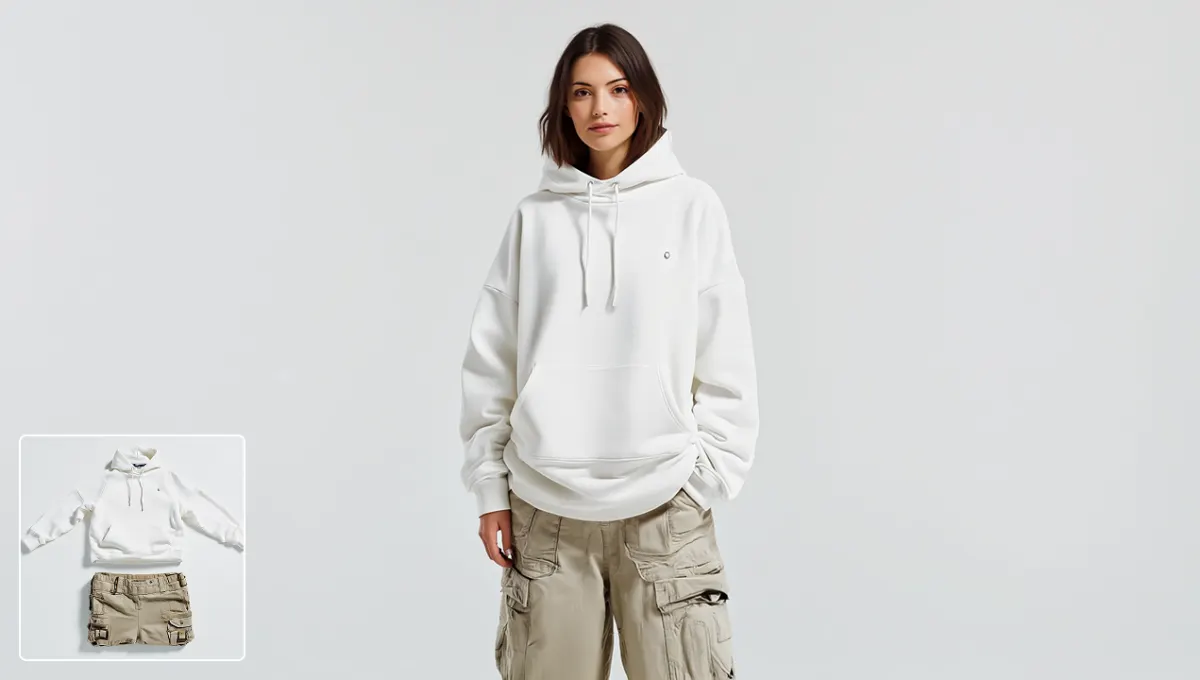 Casual look
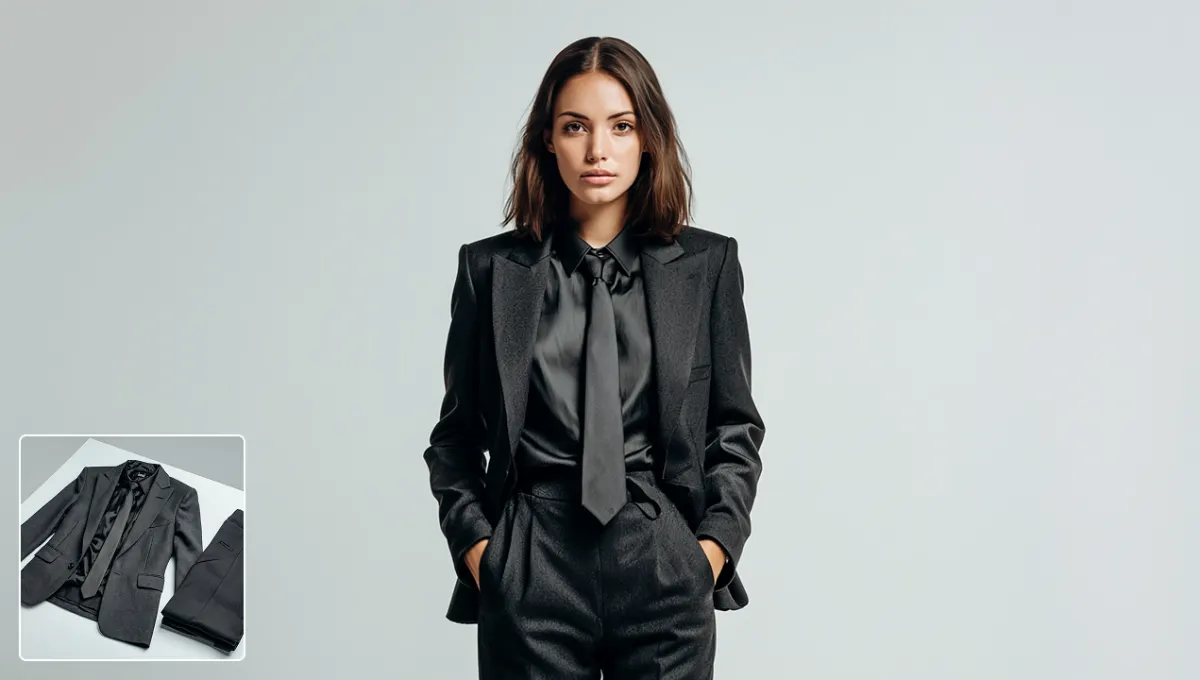 Formal look
AI outfit images are visual concepts. They do not guarantee real-world size, fit, fabric behavior, color, or product accuracy.
HOW IT WORKS
The current MagicCanvas experience uses an available preset outfit catalog, keeping the workflow direct and visual.
Use the button on this page to open the outfit workspace and see the currently available styles.
Choose a sharp image where the body and existing clothes are easy to see. A simple pose usually gives the model more usable information.
Browse the outfit categories and select the look you want to explore. The preview shows which style will guide the generation.
Review the displayed cost, generate the image, and compare it with the source. Check important details before downloading the result.
Use outfit generations for exploration and creative planning, with a clear distinction between a visual concept and a real garment.
Preview a different mood before planning a real outfit. Compare casual, formal, seasonal, or statement looks while remembering that the generated image is a concept rather than a fit prediction.
Create a new wardrobe direction for profile images, posts, thumbnails, or moodboards without arranging another complete shoot. Review facial details and garment edges before sharing.
Use several preset looks to explore the styling direction for a character, campaign concept, event portrait, or visual pitch before investing in production.
Turn one clear source photo into multiple visual ideas for an AI wardrobe board. Save the strongest concepts as inspiration, not as an exact representation of a purchasable garment.
BETTER SOURCE, CLEARER REVIEW
AI has fewer details to invent when the person, pose, and clothing boundaries are visible in the source image.
Choose another MagicCanvas tool when the next task is changing part of the image, cleaning the background, or adding motion.
An AI clothes changer edits a photo so the person appears in a different outfit. MagicCanvas uses a person photo and a selected preset look to create a new outfit preview without requiring you to cut out and layer clothes manually.
Open the clothes changer, upload a clear photo of one person, browse the available outfit categories, choose a preset, and generate. Review the displayed credit cost before submitting and inspect the result before downloading it.
The current MagicCanvas workflow is built around its available preset outfit catalog. It does not promise a separate garment-upload workflow, so choose the closest preset look shown in the tool before generating.
Use a sharp, well-lit photo with one clearly visible person. Keep the face, torso, arms, and as much of the existing outfit visible as possible. Heavy blur, crossed arms, cropped clothing, or large objects in front of the body can make the change less predictable.
No. The result is an AI-generated visual concept, not a sizing or fit guarantee. Fabric behavior, color, proportions, logos, small patterns, hands, and accessories can change, so do not treat the image as proof of how a real garment will fit.
You can explore a different casual, formal, seasonal, or creative look for a profile image or social post. Check the face, hair, hands, garment edges, and background carefully before publishing the result.
The workflow is intended to change the outfit while keeping the person and scene recognizable, but generation may also alter nearby details. Compare the output with your source photo and regenerate or choose another preset if important features drift.
Availability and generation cost can depend on your account and the current tool configuration. The tool displays the applicable credit cost before you submit, so review it instead of assuming a free or unlimited workflow.
Only upload photos you have permission to use. Get consent from identifiable people and avoid using outfit changes to mislead, impersonate, harass, or create harmful content.
READY TO EXPLORE A NEW LOOK?
Upload one clear person photo, choose a preset, and review your AI-generated outfit concept.
Change clothes in a photo →