Short cuts
Explore a pixie, bob, buzz cut, crew cut, or textured crop before committing to a dramatic change in length.
The page could not load. Please refresh to try again.
This is taking longer than expected. You can keep waiting or refresh the page.
AI HAIRSTYLE CHANGER
Upload a clear portrait and describe the haircut, length, texture, or color you want to explore. MagicCanvas turns your idea into a visual concept you can compare before your next salon visit or creative project.
Try a hairstyle on your photo →Creates an AI concept in Create. It is not a guarantee of a real haircut, color, texture, or fit.
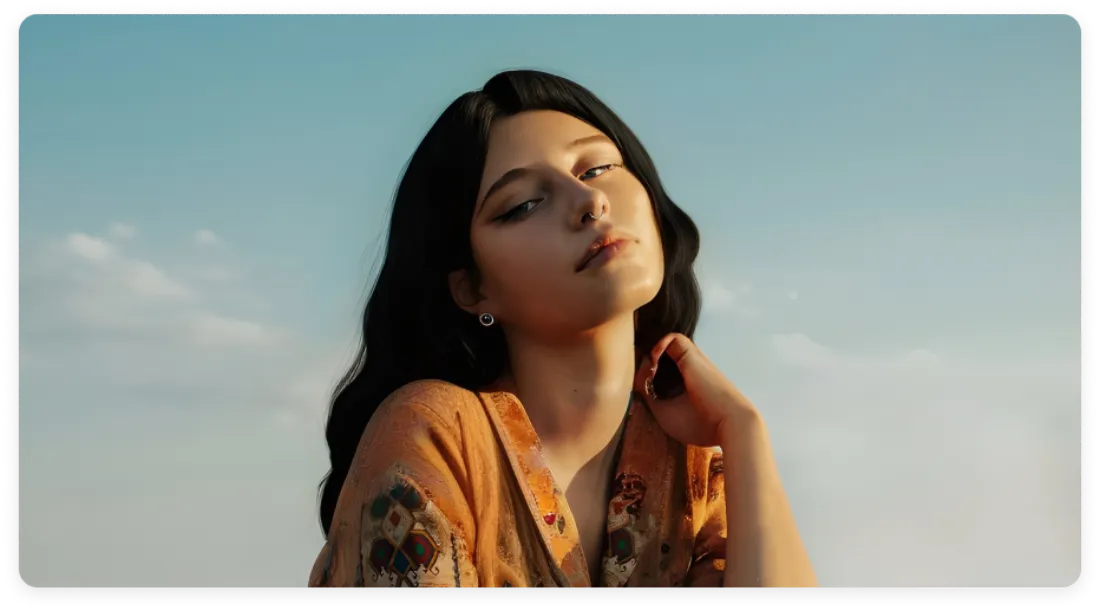
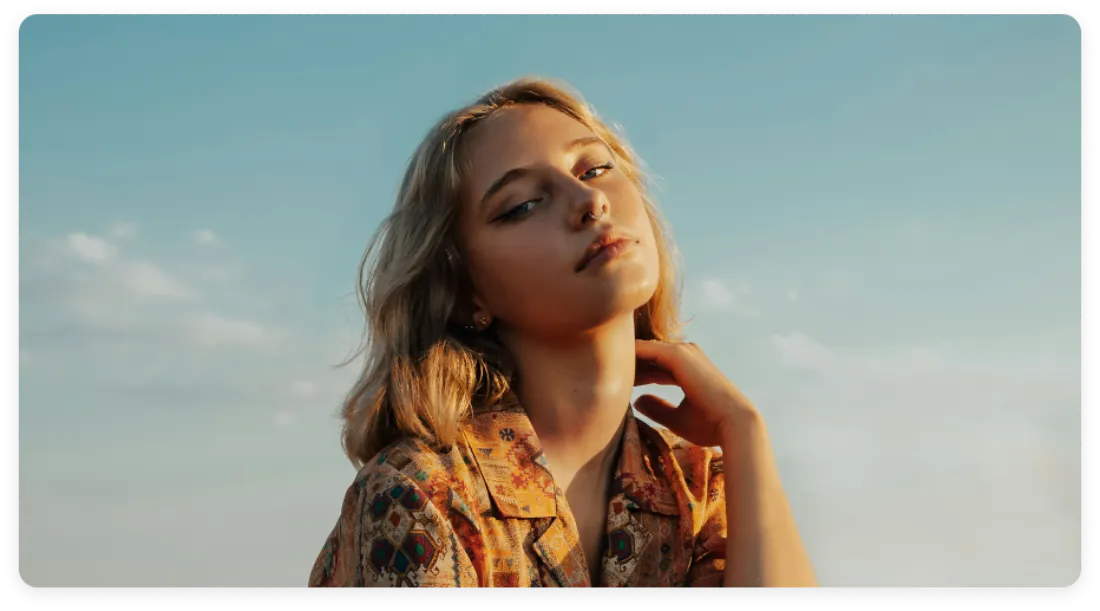 SourceAI hairstyle
COMPARE MORE THAN ONE DIRECTION
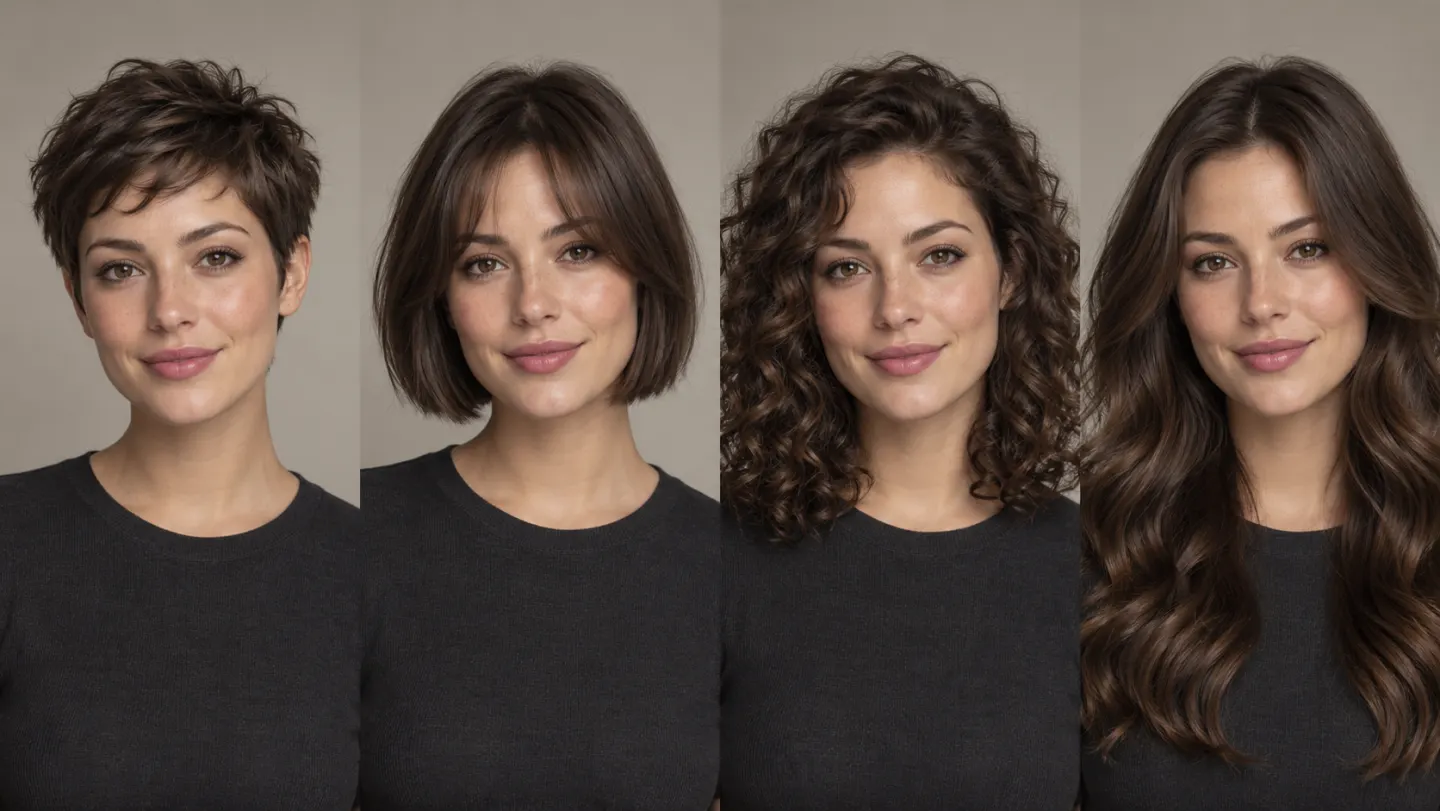
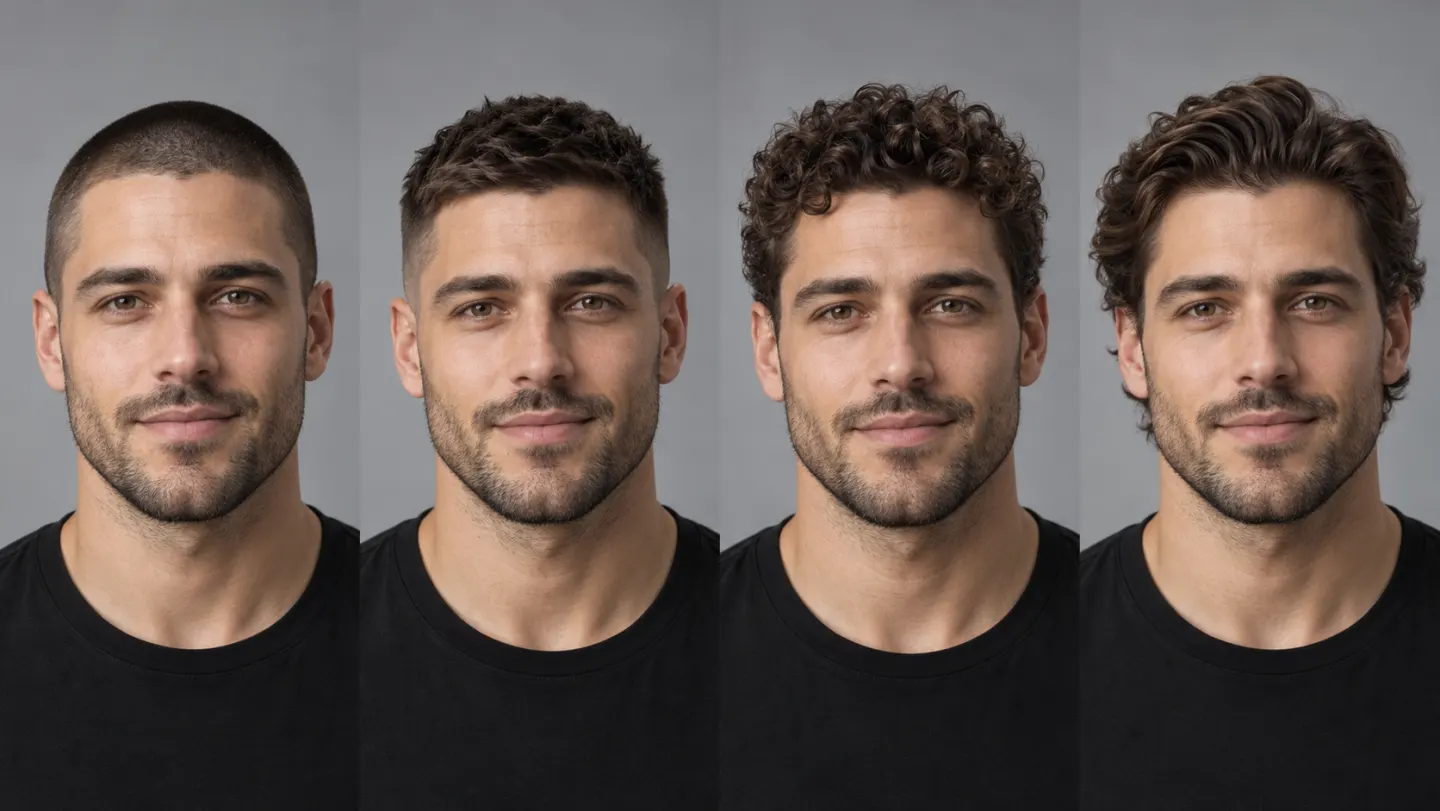
Test contrasting silhouettes instead of deciding from a style name alone. A short crop, structured bob, natural curls, or long waves can change the balance of the portrait in very different ways.
HOW IT WORKS
Your photo supplies the identity and scene. Your prompt explains what to change and which details should stay recognizable.
Choose a sharp, well-lit, mostly front-facing photo with the face and hairline visible.
Name the cut, length, texture, part, fringe, volume, color, and finish you want to preview.
Inspect the result beside the source, then make the prompt more specific and create another version if needed.
DESCRIBE THE LOOK CLEARLY
Start with a concrete hairstyle brief instead of an empty prompt. Pick a look below to open Create with the full cut, length, texture, finish, and portrait-preservation instructions already filled in.
The selected style is added as image 1. Upload your own portrait as image 2, then generate.
 Long WavyChoose this style →
 Pixie CutChoose this style →
 Long StraightChoose this style →
 Bob with BangsChoose this style →
 Curtain BangsChoose this style →
 Messy BunChoose this style →
 Two BraidsChoose this style →
 Loose WavesChoose this style →
 Side BobChoose this style →
 Short BobChoose this style →
 Top BunChoose this style →
 Space BunsChoose this style →
 Romantic WavesChoose this style →
 Beach WavesChoose this style →
 Wavy BobChoose this style →
 Medium StraightChoose this style →
 AfroChoose this style →
 Slicked BackChoose this style →
 Curly BobChoose this style →
 Gentle WavesChoose this style →
 Voluminous CurlsChoose this style →
HAIRSTYLE DIRECTIONS TO TRY
Changing one or two attributes at a time makes it easier to understand which part of a new look is actually working.
Explore a pixie, bob, buzz cut, crew cut, or textured crop before committing to a dramatic change in length.
Describe curtain bangs, a fringe, face-framing layers, or a shag and specify how soft or structured the finish should feel.
Try sleek straight hair, loose waves, defined curls, coils, an afro, or extra volume while keeping the overall portrait recognizable.
Preview natural shades, warmer or cooler tones, highlights, or a bold color concept. Treat screen color as a direction, not a salon formula.
START WITH A USEFUL PHOTO
Source quality influences how well an AI edit can preserve the portrait while changing the hair.
Use a mostly front-facing portrait so the face, hairline, forehead, and jaw are easy to read.
Natural or soft studio light gives the model clearer information about the hair and face.
Avoid heavy blur, hats, large accessories, or hands covering the hairline and sides of the face.
Higher-resolution source photos generally make it easier to inspect edges, texture, and identity consistency.
FROM CURIOSITY TO A CLEARER REFERENCE
Generate a few meaningful alternatives, keep the strongest references, and use them to make the next conversation more concrete.
Save a few distinct concepts and use them to explain the length, shape, fringe, texture, and color direction you have in mind.
Place a short cut, longer style, or different texture beside your current look before deciding which direction deserves a real consultation.
Test broad color families and highlight placement on your portrait, then ask a colorist what is practical for your starting shade and hair condition.
Develop hairstyle ideas for portraits, profile images, visual concepts, or fictional characters without manually compositing hair.
PREVIEW THE IDEA, VERIFY THE REALITY
A generated image cannot predict exactly how hair will grow, lift, hold a shape, respond to color, or look after your own styling routine. Use it to communicate the direction, then discuss what is achievable with a qualified stylist.
Continue in MagicCanvas when you want to refine the portrait, change an outfit, or prepare a cleaner background.
An AI hairstyle changer is a generative image-editing workflow that uses a portrait and written instructions to create a visual concept with a different haircut, length, texture, or color.
Open the tool, upload a clear portrait, and describe the hairstyle you want. Include the cut, length, texture, color, and any facial or image details that should remain unchanged. Generate a few versions and compare them with the original.
Use a sharp, evenly lit, mostly front-facing photo with the face and hairline visible. Avoid hats, strong shadows, extreme angles, heavy blur, or large objects covering the hair.
Yes, you can describe a broad shade, undertone, highlight pattern, or bold color direction. Displays and AI generation do not provide a precise dye formula, so confirm achievable color with a qualified stylist or colorist.
You can explicitly ask the edit to preserve identity, expression, skin tone, pose, clothing, background, and lighting. Generative editing can still change small details, so inspect every result and regenerate when needed.
No. It is a visual concept, not a guarantee. Real results depend on your current cut, hair density, texture, growth pattern, color history, styling routine, products, and the technique used by your stylist.
Yes. Describe the result directly rather than relying on a gender label. Useful details include length, silhouette, curl pattern, volume, part, fade, fringe, finish, and color.
Tool access and generation cost depend on the current account and model configuration. Check the credit cost shown in Create before submitting a generation.
READY TO TRY A DIFFERENT LOOK?
Describe the cut, texture, or color you want to see, then compare a few concepts before choosing your direction.
Try a hairstyle on your photo →