
You probably already have dozens of product photos sitting in your camera roll, product catalog, or Shopify store. Clean backgrounds, carefully arranged lighting, different angles, maybe even a few lifestyle shots. They look great on a product page.
But here's the problem: people scroll past static product images surprisingly quickly.
On platforms like TikTok, Instagram Reels, and YouTube Shorts, video gives you more opportunities to catch someone's attention. A product can move, a camera can zoom in, a scene can change, and a simple image can become a short story.
The good news? You don't need a professional camera, a studio, or a video production team to make it happen.
With AI video tools, you can turn existing product photos into engaging video ads without filming everything from scratch. In this guide, we'll walk through how to transform product images into scroll-stopping video ads, what makes these videos effective, and how to use AI tools like MagicCanvas to speed up the process.
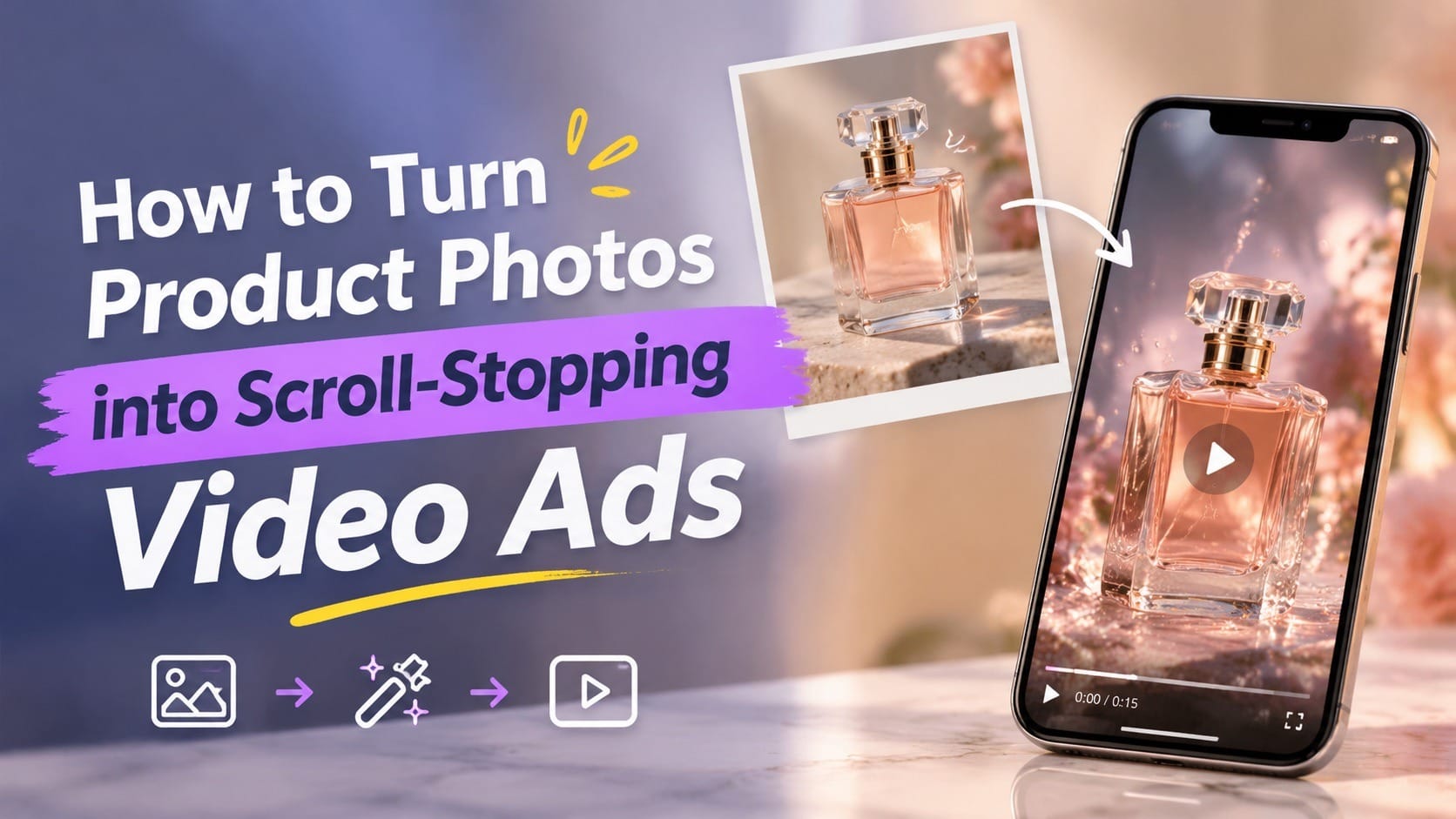
Let's turn those product photos into something people actually want to watch.
Why Turn Product Photos into Video Ads?
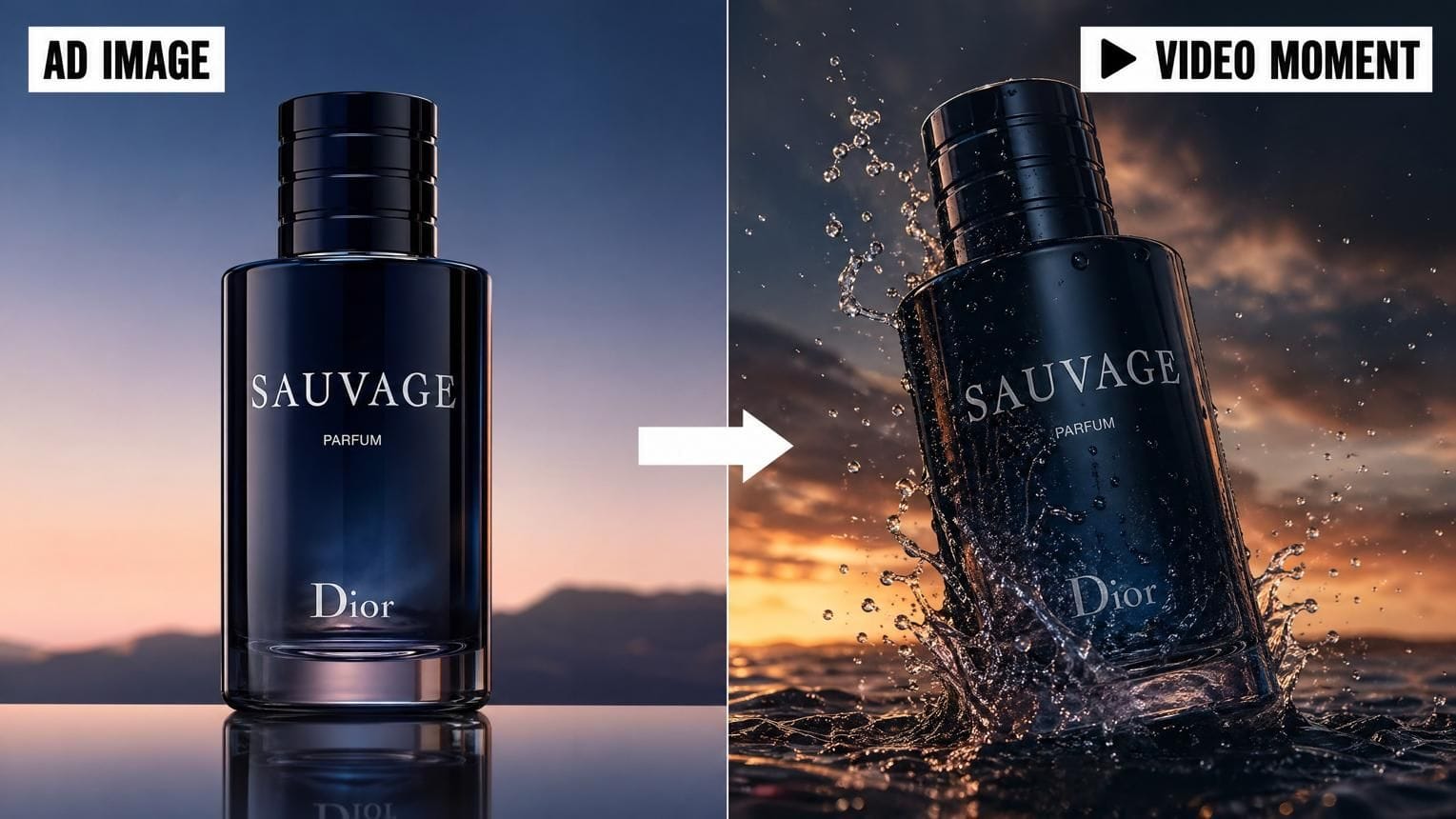
Product photography is still important. It helps customers understand what they're buying, see the details, and compare different options.
However, video adds something a still image cannot: movement and context.
Think about a skincare product. A regular product photo might show a bottle sitting on a clean white background. A video could show the bottle surrounded by water droplets, soft sunlight moving across the packaging, and a close-up of the product's texture.
Same product. Completely different experience.
Here are a few reasons why turning product photos into videos is worth trying.
1. Video Makes Products More Interesting
A static image shows what a product looks like. A video can show how it feels, how it fits into someone's life, or why someone might want it.
For example:
- A handbag can appear in a lifestyle scene with a model walking through a city.
- A coffee machine can be shown preparing a fresh cup of coffee.
- A skincare bottle can appear in a relaxing bathroom environment.
- A pair of sneakers can be featured in a dynamic streetwear scene.
You don't necessarily need to demonstrate every product function. Sometimes, creating an appealing visual experience is enough to make someone stop scrolling.
2. You Can Reuse Existing Product Assets
Creating new video content for every campaign can be expensive and time-consuming.
But if you already have high-quality product photos, you have a useful starting point.
Instead of arranging another photoshoot, you can experiment with different backgrounds, camera movements, visual styles, and creative concepts using the same images.
One product photo might become several different video ads:
- A clean, minimalist product showcase.
- A cinematic lifestyle advertisement.
- A close-up video focusing on product details.
- A colorful, fast-paced social media promotion.
This makes it easier to test different creative directions without starting from zero every time.
3. Video Gives You More Creative Options
A product image has a fixed composition. Once you turn it into a video, you can introduce camera movement, environmental effects, transitions, and storytelling.
You can make a product appear in a completely different setting without physically moving it there.
Of course, AI-generated movement isn't always perfect. Product details, logos, and text can sometimes change unexpectedly. That's why choosing good reference images and reviewing the results matters.
What Makes a Product Video Ad Scroll-Stopping?
Before opening an AI video generator, it's worth thinking about what makes someone stop scrolling.
A visually impressive video isn't automatically a good advertisement. It still needs to communicate something about the product.
Here are five elements worth focusing on.
1. A Strong Opening Hook
The first few seconds matter. If your video starts with a long, slow introduction, viewers may move on before they even see the product.
Try opening with something visually interesting:
- An extreme close-up of the product.
- A dramatic camera movement.
- A surprising change of environment.
- A product appearing in an unexpected setting.
- A quick before-and-after visual.
For example, instead of showing a perfume bottle sitting on a table for five seconds, imagine it emerging from a cloud of soft mist with a cinematic camera push-in.
You don't need to make every ad dramatic. You just need a reason for viewers to keep watching.
2. Make the Product the Main Character
This sounds obvious, but it's surprisingly easy to get wrong with AI-generated videos.
Beautiful backgrounds, cinematic lighting, and creative effects are great. However, if viewers can't clearly see the product, the video isn't doing its job.
Make sure your product remains the visual focus.
Use close-ups to highlight important details, keep unnecessary objects out of the scene, and avoid overly complicated backgrounds.
A simple product shot with subtle movement can sometimes work better than an elaborate scene with too many distractions.
3. Show the Product in Context
People don't just buy products. They buy the experience or benefit associated with them.
A pair of headphones isn't just plastic and metal. It's music during a commute, focus while working, or a relaxing evening at home.
A water bottle isn't just a container. It's part of a workout routine or a daily wellness habit.
Think about the situation in which someone would actually use your product.
Then build your video around that situation.
4. Use Movement with a Purpose
Movement should help viewers understand or appreciate the product.
Some useful camera movements include:
- Slow zoom-in: Draw attention to product details.
- Orbit movement: Show different sides of a product.
- Camera pan: Reveal the product within a larger environment.
- Push-in: Create a more cinematic, immersive feeling.
- Pull-back: Reveal the overall scene or product arrangement.
Avoid adding random movement just because an AI tool can do it. A spinning camera, flying objects, and dramatic transitions might look impressive, but they can also distract from the product.
5. End with a Clear Message
Your video should give viewers a reason to take the next step.
Depending on your campaign, this could be:
- Discover the product.
- Shop the collection.
- Explore the latest launch.
- Learn more about the brand.
- Visit the product page.
A short call to action at the end is often enough. Don't turn the final seconds into a wall of promotional text.
How to Turn Product Photos into Video Ads with AI
Now let's get practical.
You can create an AI product video using an existing product image and a clear creative direction. Here's a workflow you can follow.
Step 1: Choose the Right Product Photo
Your source image has a big impact on the final result.
AI video generators use your image as a visual reference, so a poor-quality image can make the entire process more difficult.
Look for a product photo with:
- Clear product visibility.
- Good lighting and sharp details.
- Minimal visual clutter.
- A recognizable product shape.
- A suitable camera angle.
For your first attempt, choose a photo where the product is clearly separated from the background.
For example, a skincare bottle photographed against a simple background is usually easier to work with than a bottle surrounded by several overlapping objects.
One more thing: if your product has a logo, label, or important packaging text, pay special attention to it. AI-generated videos can distort small details, so you'll want to inspect the result before using it in an advertisement.
Step 2: Decide What Kind of Ad You Want to Create
Don't start generating videos without a creative direction.
First, decide what you want the viewer to feel or understand.
Here are four approaches worth testing:
Product Showcase
Focus on the product itself. Use close-ups, subtle camera movement, and clean lighting.
Best for cosmetics, electronics, accessories, and premium products.
Lifestyle Advertisement
Place the product in a setting that reflects how customers might use it.
Best for fashion, home goods, fitness products, and everyday accessories.
Cinematic Advertisement
Use dramatic lighting, atmospheric backgrounds, and carefully planned camera movements.
Best for fragrance, luxury products, jewelry, and premium branding.
Social Media Promotional Video
Use faster pacing, bold visuals, and a clear promotional message.
Best for TikTok, Instagram Reels, and YouTube Shorts.
You don't need to pick just one. In fact, creating multiple versions of the same product is a useful way to test which creative direction works best.
Step 3: Turn Your Product Image into a Video
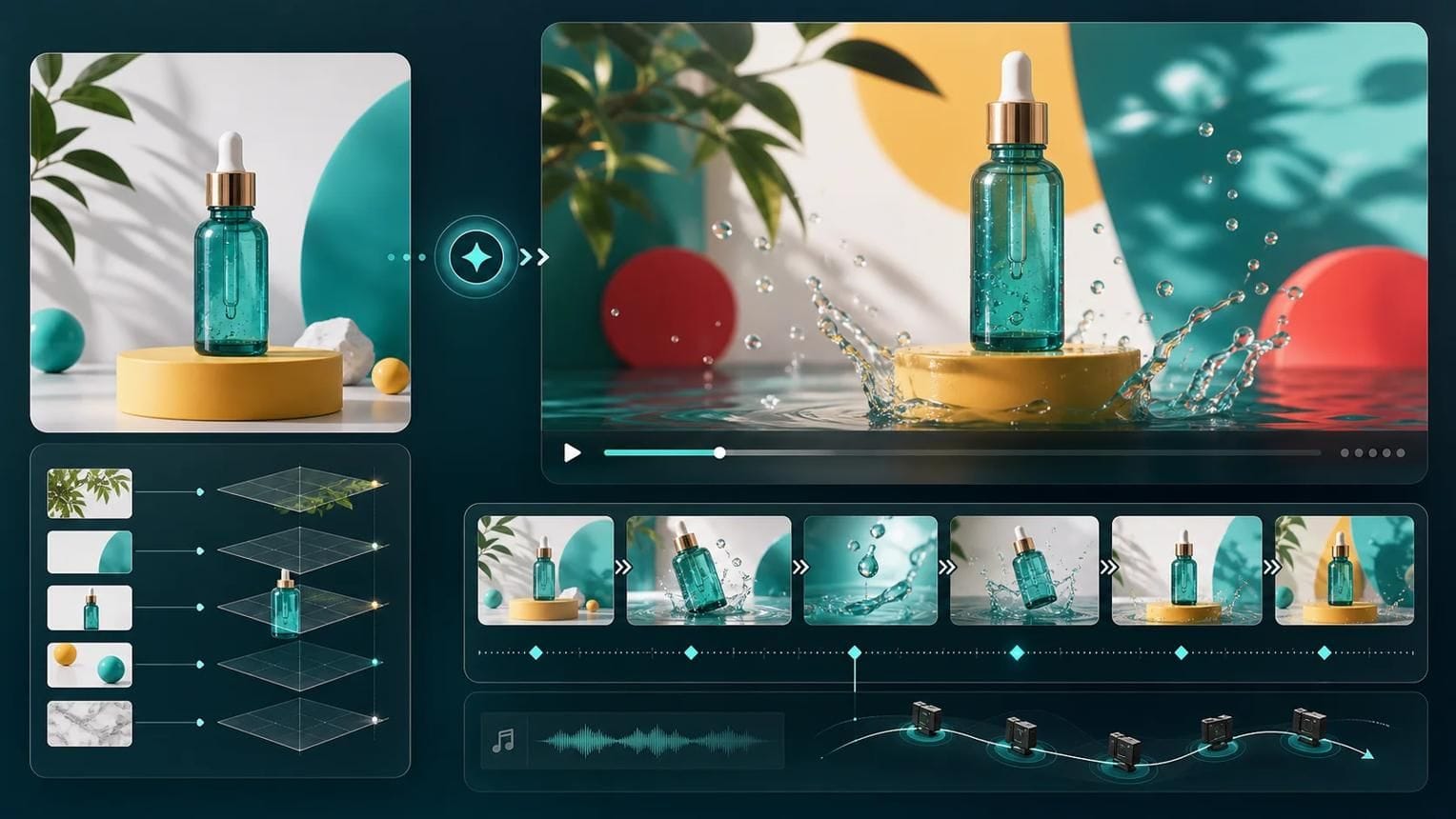
This is where AI image-to-video tools become useful.
Instead of creating an entirely new video from scratch, you upload an existing product photo and describe how you want the scene to move.
For example, imagine you have a photo of a skincare serum bottle.
You could use a prompt like this:
Example AI video prompt:
"Create a premium skincare commercial using the uploaded product image as the main visual reference. Keep the bottle's shape, color, and packaging consistent. The product sits on a smooth stone surface surrounded by subtle water droplets. Soft natural light moves across the scene while the camera slowly pushes toward the bottle. Elegant, minimal composition, realistic reflections, luxury beauty advertising style."
The key is to describe more than just the visual style.
Think about:
- Subject: What should the video focus on?
- Motion: What should move?
- Environment: Where does the scene take place?
- Camera: How should the camera move?
- Aesthetic: What overall visual style do you want?
A detailed prompt gives the AI clearer creative direction.
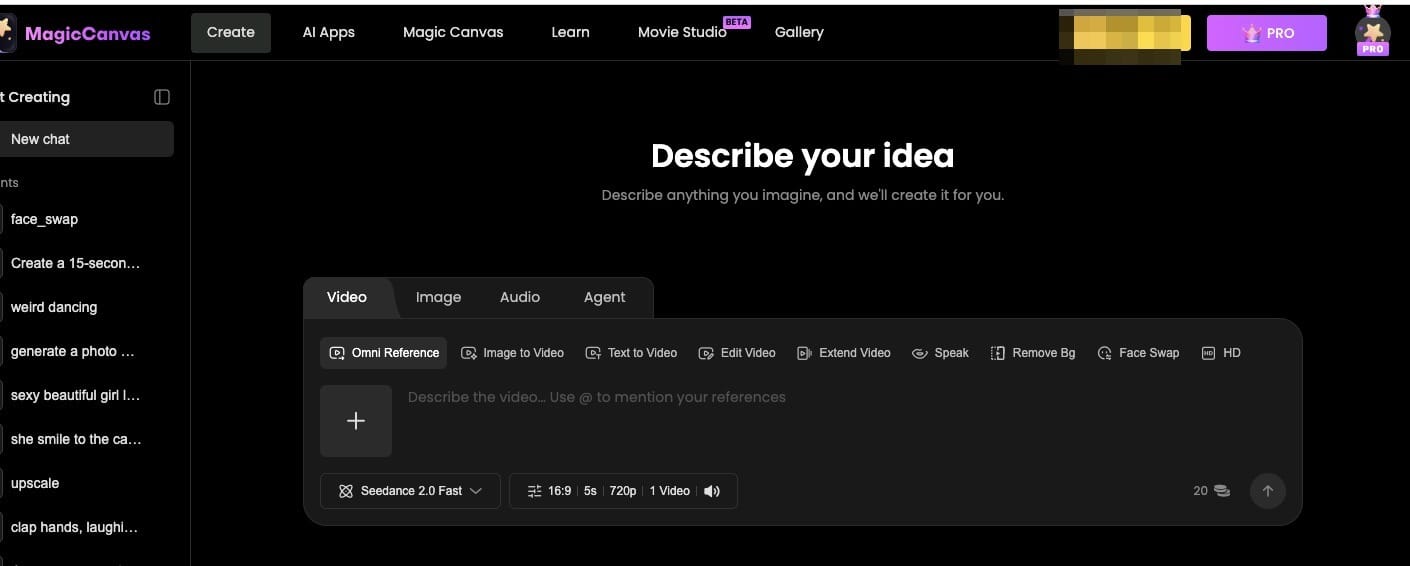
You can use MagicCanvas's Image to Video workflow to turn a product photo into a moving scene. Upload your reference image, describe the movement and atmosphere, and generate a video based on your idea.
You can also explore different supported video generation models and creative approaches within MagicCanvas to see which results work best for your product.
Step 4: Experiment with Different Visual Styles
Don't settle for the first result.
The same product image can produce very different advertisements depending on the prompt.
Let's use a pair of sneakers as an example.
Version A: Minimalist Product Ad
"Show the sneakers on a clean white platform. Use soft studio lighting, a slow camera orbit, and subtle shadows. Keep the original shoe design and colors consistent."
Version B: Streetwear Lifestyle Ad
"Place the sneakers in a modern urban streetwear setting. The camera slowly moves toward the shoes as sunlight creates natural reflections on the ground. Energetic but realistic fashion commercial style."
Version C: Cinematic Product Ad
"Show the sneakers on a dark reflective surface with dramatic side lighting. Use a slow cinematic push-in and subtle atmospheric movement. Emphasize the shoe texture and overall design."
Notice that the product stays the same. What's changing is the creative direction.
This is one of the biggest advantages of AI video generation: you can explore multiple advertising concepts without organizing multiple physical shoots.
Step 5: Create a Video from Text When You Need a New Scene
Sometimes, your existing product photo isn't enough.
Maybe you want a more elaborate background, a different visual environment, or a completely new advertising concept.
In that case, text-to-video generation can help you explore additional creative ideas.
For example, you could describe a luxury perfume advertisement set in a beautiful hotel room, with warm sunlight, elegant interior design, and a cinematic camera movement.
MagicCanvas's Text to Video workflow lets you generate video scenes from written descriptions. You can use it to experiment with different advertising concepts and build additional visual material for your campaign.
One practical approach is to combine both methods:
- Use Text to Video to explore a creative scene.
- Use Image to Video to animate your actual product photo.
- Bring the selected clips together in your editing workflow.
This gives you more flexibility when your original product photography doesn't cover every scene you want.
Step 6: Edit the Video for Social Media
Generating a video is only part of the process.
You'll probably want to trim unnecessary moments, adjust the pacing, add text, and include a call to action.
MagicCanvas also offers MagicEdit for AI-assisted video editing, which can help you refine your creative output.
When preparing your final ad, pay attention to the following:
Video Length
Keep the message focused. A short ad doesn't need to explain everything about your product.
Aspect Ratio
For vertical-first platforms such as TikTok, Instagram Reels, and YouTube Shorts, a 9:16 format is a useful starting point.
Captions and Text
Add short, readable text to communicate your main selling point. Avoid covering important product details.
Music and Sound Effects
Audio can help establish the mood and make a product video feel more polished. Make sure you have the appropriate rights to use any music or sound effects in commercial content.
Branding
Use your brand colors, logo, and product information consistently. Double-check that the product packaging and any on-screen claims are accurate.
Three Product Video Ad Ideas You Can Try Today
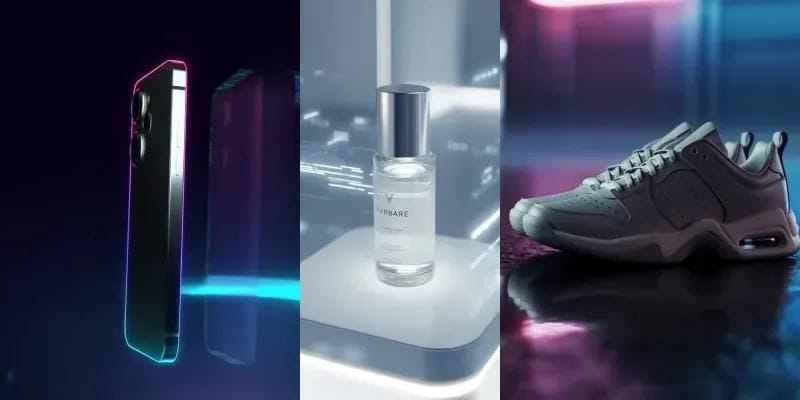
Need some inspiration? Here are three simple concepts you can test using your existing product photos.
1. The Luxury Product Reveal
<PRIVATE_PERSON> your product deserves a little drama.
Start with a dark or softly lit scene. Slowly reveal the product with a camera push-in, subtle reflections, and carefully controlled lighting.
This concept works especially well for:
- Perfume.
- Jewelry.
- Premium skincare.
- Watches.
- Luxury accessories.
Prompt idea:
"Create a cinematic luxury product reveal using the uploaded product photo as the reference. The product is placed on a dark reflective surface with soft dramatic lighting. Slowly reveal the product through a smooth camera push-in. Keep the original product design and proportions consistent. Premium commercial photography style."
2. The Product-in-Action Scene
Instead of showing the product sitting still, create a scene that suggests how it fits into everyday life.
For example:
- A coffee cup in a cozy morning kitchen.
- A handbag in a stylish city environment.
- A water bottle beside workout equipment.
- A skincare product in a bright bathroom.
Prompt idea:
"Create a realistic lifestyle advertisement featuring the uploaded product. Place it in a bright, modern environment that reflects everyday use. Use natural lighting and subtle camera movement. Keep the product as the main focus and preserve its original appearance."
3. The Fast-Paced Social Media Ad
This concept is designed for viewers who are scrolling quickly.
Start with a strong close-up, introduce a few different angles, and finish with a clear product shot and short promotional message.
Prompt idea:
"Create a dynamic vertical product advertisement using the uploaded image as the visual reference. Start with a close-up of the product, followed by a smooth camera movement revealing the full product. Use energetic pacing, clean lighting, and modern social media advertising aesthetics. Keep the product's original appearance consistent."
You can generate different versions of these concepts and compare which one best communicates your product's value.
Common Mistakes to Avoid When Creating AI Product Video Ads
AI makes video creation easier, but it doesn't automatically make every result advertising-ready.
Here are some common mistakes to watch out for.
1. Using Low-Quality Reference Images
If the original product photo is blurry, poorly lit, or heavily cropped, the generated video may struggle to preserve important details.
Start with the best product image you have.
2. Writing Overly Complicated Prompts
More words don't always produce better results.
If your prompt includes too many actions, camera movements, and environmental changes, the video may become visually confusing.
Focus on one main movement and one clear creative idea per generation.
3. Changing the Product's Appearance
This is particularly important for e-commerce advertising.
An AI-generated bottle with a slightly different label or a sneaker with a different shape might look attractive, but it could misrepresent the actual product.
Always compare the generated result with your original reference image.
4. Adding Too Many Effects
Not every product needs explosions, flying objects, dramatic transitions, or glowing particles.
Sometimes a simple camera movement and beautiful lighting are enough.
Remember, the goal is to sell the product, not demonstrate how many visual effects your AI tool can generate.
5. Forgetting the Advertising Message
A beautiful video without a clear message is just a beautiful video.
Before publishing, ask yourself:
- Can viewers understand what the product is?
- Is the main benefit clear?
- Does the video appeal to the intended audience?
- Is there a reason to click or learn more?
If the answer to most of these questions is no, the video probably needs another round of editing.
How to Get Better Results from Your AI Video Ads
Once you've created your first few videos, you can start improving the process.
Here are some practical tips.
Test multiple creative directions. Don't assume the most cinematic version will perform best. A simple lifestyle video might connect with customers more effectively.
Keep your product consistent. Use the same reference image and carefully describe the product's appearance when generating different versions.
Create for a specific audience. A skincare advertisement targeting young adults might need a very different visual style from one targeting premium skincare buyers.
Make several short variations. Test different opening shots, camera movements, and promotional messages rather than relying on one finished video.
Review the final output carefully. Check product details, visual artifacts, text accuracy, and any claims before publishing.
And remember: AI-generated video is a creative production tool, not a replacement for understanding your customers. You still need a good offer, a clear message, and a reason for people to care.
Final Thoughts: Your Product Photos Can Do More Than Sit in a Catalog
You don't need to start every advertising campaign with a camera and a production crew.
If you already have good product photography, you have a foundation for creating engaging video ads. With the right prompts, creative direction, and AI video tools, a single product image can become the starting point for several different advertising concepts.
The trick is to focus on the product, use movement with a purpose, and create videos that communicate a clear message.
If you want to experiment with this workflow, give MagicCanvas a try. Its Image to Video and Text to Video tools can help you turn product ideas and existing images into new video content, while MagicEdit gives you another option for refining your creative work.
Start with one product photo. Try two or three different concepts. You might be surprised by how much creative potential was hiding in your product catalog all along.
Frequently Asked Questions (FAQs)
1. Can I turn product photos into videos using AI?
Yes! AI video generators can transform static product photos into moving videos by adding camera movements, lighting effects, and animated environments. Tools like MagicCanvas allow you to upload a product image and turn it into a video using Image to Video.
2. What is the best AI tool for turning product photos into videos?
The best tool depends on your creative needs. Look for an AI video generator that supports image-to-video creation, flexible prompts, different visual styles, and video editing. MagicCanvas is one option for creating product videos from existing images without filming everything yourself.
3. Do I need video editing skills to create AI product ads?
No. Many AI video tools are designed for beginners. You can start with a product photo, describe the movement and visual style you want, and let the AI generate a video. Basic editing skills can still help you improve pacing, add captions, and create a more polished advertisement.
4. What kind of product photos work best for AI video generation?
High-resolution photos with clear product details, good lighting, and simple backgrounds usually work best. Images where the product is fully visible also make it easier for AI tools to preserve its original shape and appearance.
5. Can AI-generated product videos be used for commercial advertising?
Generally, yes, but you should check the commercial usage terms of the AI tool, the rights to your source images, and any music or other assets included in the video. You should also review the generated content to ensure it accurately represents the actual product and doesn't make misleading claims.
6. What is the ideal length for an AI product video ad?
There is no single ideal length for every campaign. For short-form platforms like TikTok and Instagram Reels, a concise video of around 10–30 seconds is a useful starting point. Focus on grabbing attention quickly, showing the product clearly, and ending with a simple call to action.