
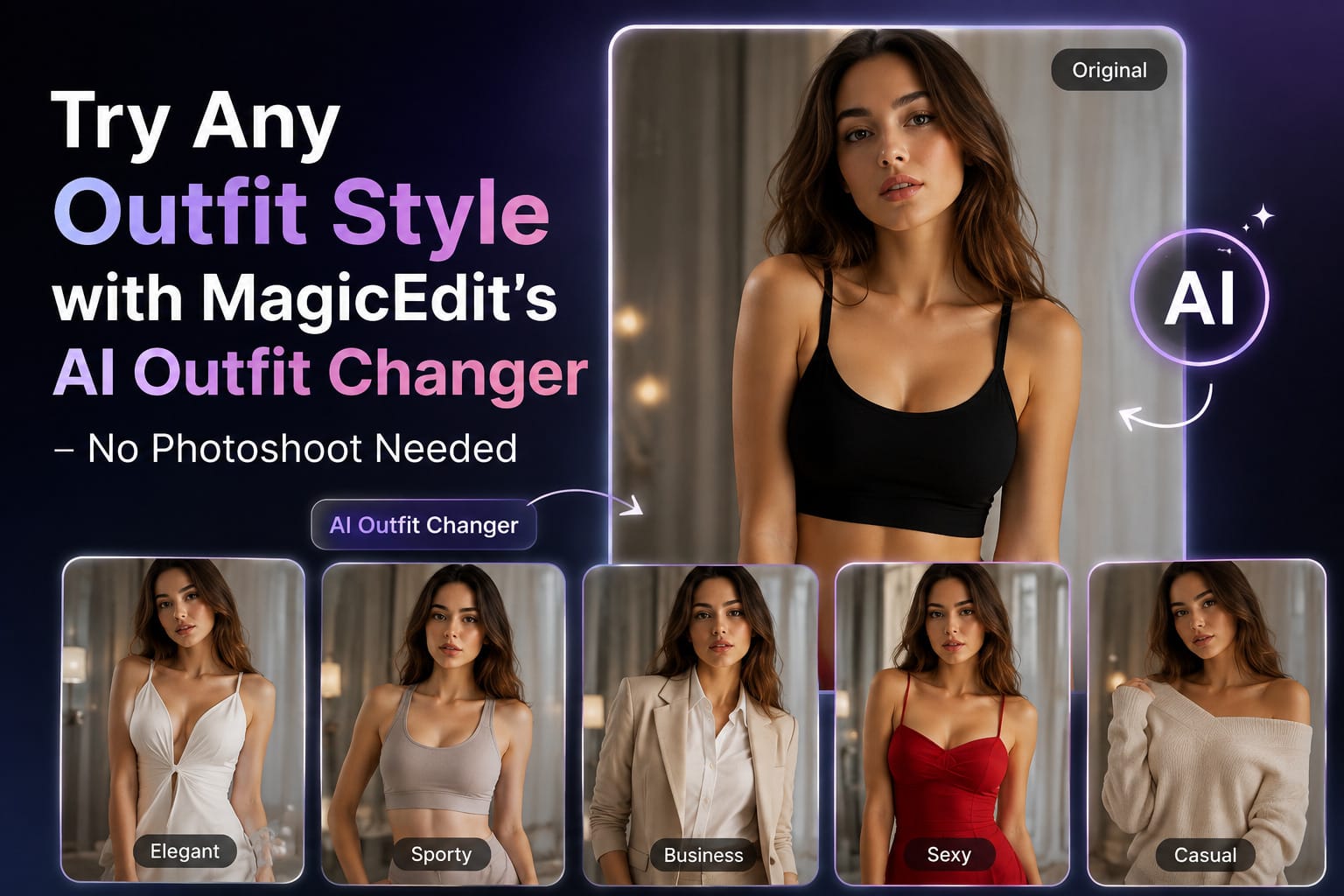
I’ll be honest. I used to think “AI clothes swap” sounded like one of those gimmicky filters that make your head look like a potato. Then I tried MagicEdit’s AI Clothes feature and spent an entire evening turning the same boring selfie into a beach goddess, a silver-catsuit cosplayer, and someone who apparently owns a yacht. No studio. No model. No awkward fitting-room fluorescent lights. Just me, my laptop, and a ridiculous amount of dopamine.If you’ve ever stared at a photo of yourself and thought “the face is fine, the clothes are the problem,” this is for you
The Stupidly Simple Way It Works
MagicEdit doesn’t make you jump through hoops. Here’s the entire process:
- Upload your photo (or just drag it into the big empty square).
- Pick a template from the grid — Bikini, Flux Cosplay, Dress, whatever mood you’re in.
- Hit Generate.
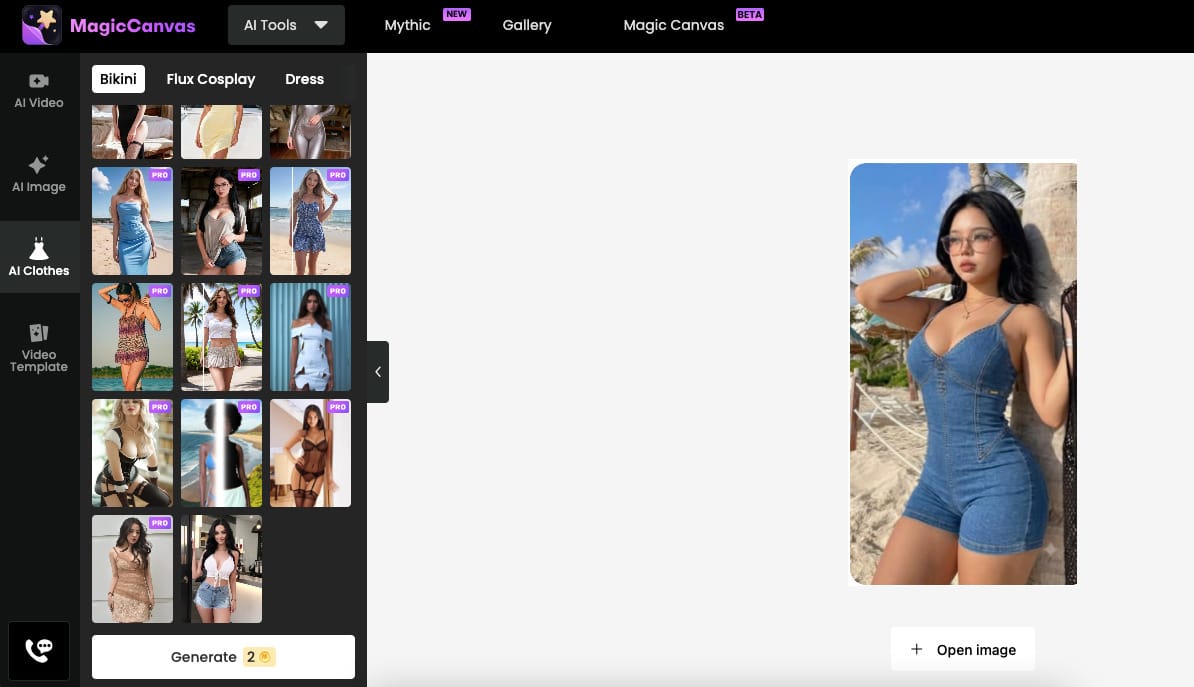
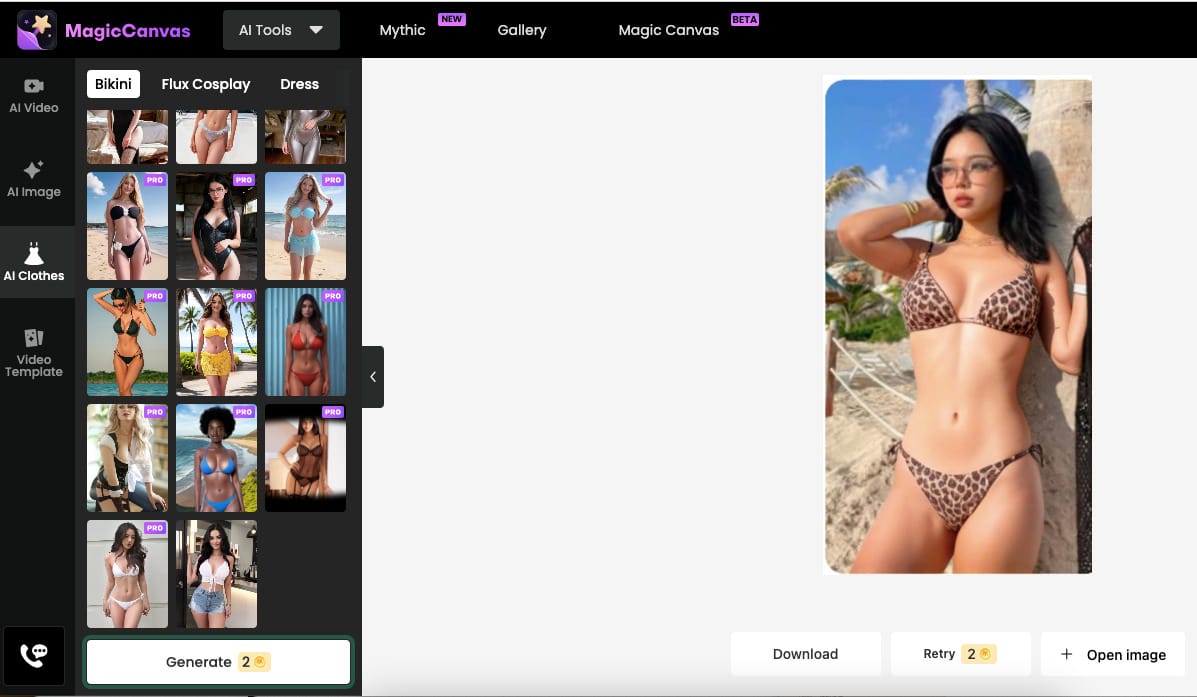
That’s it. Three steps. No prompt engineering. No “please describe the fabric drape in 200 words.” You choose the look you want from the ready-made templates, and the AI does the rest. Pose stays the same. Face stays the same. Background stays the same. Only the clothes change. Lighting and fabric texture get matched automatically so the new outfit actually looks like it belongs on your body instead of floating on top of it.I tested this with a slightly blurry mirror selfie taken in bad lighting (the kind you normally delete). It still worked. The tool is more forgiving than most of my friends.
Real Scenarios Where This Feature Actually Saves Your Sanity
- E-commerce product pages that don’t require a second mortgage
I know a small clothing brand owner who used to book a model and studio every time she launched a new colorway. Now she uploads one good product shot, swaps the outfit across different templates and color variations, and has ten ready-to-post images in under an hour. Same model pose, same background, consistent lighting — exactly what Shopify and Instagram love. She told me her content production time dropped by more than 80%. I believe her. I’ve done the same thing with my own “pretend I’m a brand” experiments and the results look clean enough for real listings. - Fashion designers and stylists who hate waiting for samples
One designer friend used to sketch a dress, wait three weeks for a sample, then discover the silhouette didn’t work on an actual body. With MagicEdit she uploads a flat sketch or a simple render, drops it onto a model photo via the templates, and sees the finished look in seconds. Clients get visual approvals the same day instead of next month. No sample costs. No “can we just change the neckline one more time” arguments. Just instant “yes, that works” or “nope, try again.” - Social media creators who need content yesterday
I used to schedule one photoshoot and then stare at the same six outfits for three weeks. Now I shoot once in a plain t-shirt, come home, and generate two weeks of carousel posts in an evening. Different dresses, different vibes, same lighting and composition so the feed still looks intentional. The AI clothes changer keeps everything consistent — no weird color shifts or pose changes that make your grid look chaotic. It’s the closest thing I’ve found to having a personal stylist who never complains about working late. - Brand lookbooks and seasonal catalogs without the drama
Seasonal campaigns used to mean coordinating models, locations, makeup, and weather. Brands I follow are now building entire lookbooks by swapping garments across a small set of model photos. One good session becomes twenty cohesive images. Accessories, full outfits, even completely different silhouettes — all generated while the coffee is still hot. The consistency is almost unfair. Every image feels like it belongs to the same campaign.
Why the Results Don’t Look Fake (Most of the Time)
Older AI tools used to leave weird edges, stretched fabric, or the classic “why does her arm melt into the dress” problem. MagicEdit’s version is better at matching body shape, shadows, and fabric behavior. The clothes actually follow the contours of the original photo. When the lighting in your upload is soft and even, the new outfit inherits that softness. When the photo has strong shadows, the new clothes get the same drama. It feels less like a filter and more like a quiet digital wardrobe change.Of course it’s still AI. Extremely weird poses or heavily cropped photos can produce the occasional odd crease. But for normal standing, sitting, or casual poses, the success rate is high enough that I stopped expecting perfection and started expecting “good enough to post.”
The Emotional Side Nobody Talks About
There’s a quiet thrill in seeing yourself in clothes you’d never buy or never dare wear in public. One minute I’m in my usual black jeans. The next I’m in a flowing yellow dress on a balcony I never visited, or a red bikini on a beach that exists only in the template. It doesn’t feel like becoming someone else. It feels like meeting a version of yourself that already lived in your head.I’ve used it on photos I used to hate purely because of the outfit. Suddenly the same face, same expression, same background — but better clothes. The photo becomes usable again. That small win is more satisfying than I expected.
FAQ – The Questions I Keep Getting
Can I really keep the exact same pose and background?
Yes. That’s the whole point of the swap. Only the clothing changes. Expression, skin tone, pose, and background stay locked.Do I need a professional photo?
No. Clean lighting helps, but everyday phone photos work surprisingly well. I’ve fed it mirror selfies and still got usable results.Is it only for women’s fashion right now?
The current template library leans heavily into bikinis, dresses, and cosplay looks. More menswear and gender-neutral options are on the wishlist, but the existing set is already deep enough for most content needs.How realistic is the fabric and fit?
Very good on most templates. The AI matches body shape and lighting automatically. You won’t get perfect couture drape every single time, but you’ll get something that looks natural enough for e-commerce, social, and client presentations.Can I use the images commercially?
Yes, within the terms of your MagicEdit plan. Many users already put the results on product pages, lookbooks, and ads. Just check the current license details.What if I want a completely custom outfit instead of a template?
The strength of this feature is the curated templates — they give consistent, high-quality results with zero prompting. For full custom control you’ll want to explore MagicEdit’s broader AI image tools, but for fast, reliable outfit swaps the template route is the winner.How many variations can I generate?
As many as your plan allows. I’ve personally burned through dozens in one sitting just for fun. Unlimited curiosity is encouraged.
Final Thought From Someone Who Now Owns a Digital Closet
MagicEdit’s AI outfit changer doesn’t replace real photoshoots or real fashion decisions. It removes the friction between “I wonder what this would look like” and actually seeing it. Upload. Choose a template. Generate. Laugh. Post. Repeat.Whether you’re running an online store, designing clothes, filling a content calendar, or just trying to make last summer’s photos feel less tragic, the tool is sitting there waiting. Three steps. No studio required. No model fees. Just you and a whole new wardrobe that exists only when you want it to.Go try the yellow dress first. Trust me on that one.